

How to Convert Words into Binary Code
Learn how to convert words to binary code 🧑💻 with clear steps, understand ASCII & Unicode encoding, plus handy tools and real-world uses 📊.
Edited By
Victoria Hughes
In our digital world, every piece of English text you type or read on a screen is actually stored and processed as binary code—a string of zeros and ones. This binary code forms the backbone of all digital communication, whether you’re browsing a website, sending an email, or using software to analyse market data.
To translate English into binary, computers rely on character encoding systems that assign each character a unique numeric value. The simplest and most widely known standard is ASCII (American Standard Code for Information Interchange), which uses 7 or 8 bits to represent English letters, digits, and basic symbols. However, for South African users working with multiple languages or special characters, Unicode is more relevant. Unicode covers a far wider range of characters, including accented letters and symbols used in local languages like isiZulu and Afrikaans.

The translation process looks like this:
Character selection: Identify the English character you want to convert (e.g., ‘A’).
Encoding lookup: Find its numeric code (for ‘A’, ASCII code is 65).
Binary conversion: Convert the decimal code to binary (65 becomes 01000001).
Storage or transmission: Store or send the binary sequence within a computer system or network.
Even simple text like “Hello, Mzansi!” ends up as a long series of bits before you see the letters on your screen.
Practical example: When a South African trader inputs client information or stock tickers into software, that data is behind the scenes converted into binary code so that applications can store and interpret it correctly.
Common tools and software, such as text editors and programming environments, often handle these conversions automatically. Still, knowing what happens under the hood can help troubleshoot encoding issues or optimise systems dealing with multilingual text, particularly in a diverse country like South Africa.
Understanding the basics of binary code is crucial in grasping how English text is converted into a language that computers can process. Binary code forms the backbone of all digital communication, representing data using only two symbols: 0 and 1. This simple yet powerful system allows computers to handle everything from texts on your mobile device to complex financial transactions securely and efficiently.
Binary numbers are a way of expressing values using just two digits, 0 and 1. Each digit in a binary number is called a bit (short for binary digit). For example, the binary number 1011 represents a specific value when decoded. This system contrasts with the decimal system, which uses ten digits (0 through 9) to represent numbers.
Practical relevance arises because computers operate on electrical signals that can be easily distinguished in two states—on or off, high voltage or low voltage—which naturally fits binary’s 0s and 1s. This makes binary the ideal language for electronic devices.
The difference between binary and decimal systems lies mainly in their base: decimal is base-10, meaning each position represents powers of 10, whereas binary is base-2, with each position indicating powers of 2. For instance, the decimal number 13 is represented in binary as 1101 (1×8 + 1×4 + 0×2 + 1×1). This conversion is fundamental when translating human-readable numbers into formats computers can work with.
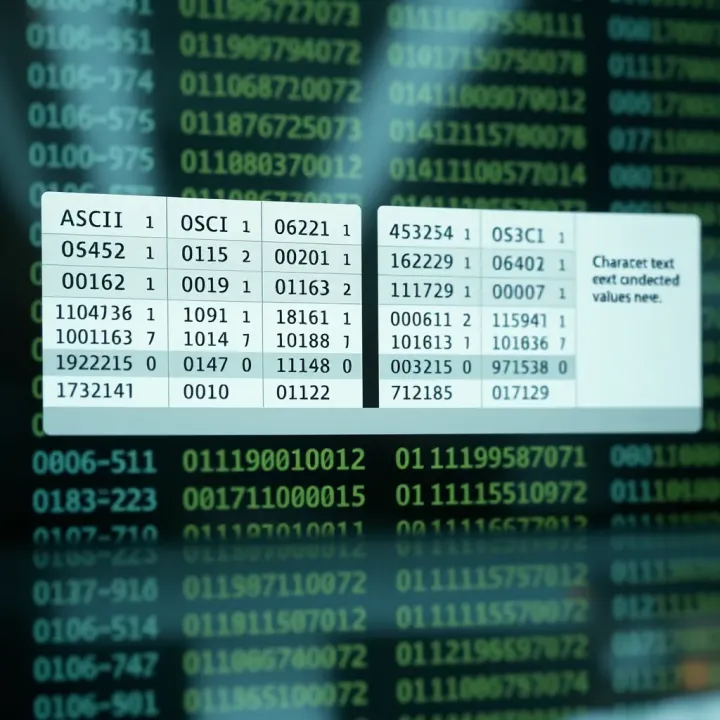
Bits form the smallest unit of data in computing, but we often group them into bytes, which contain 8 bits. A byte can represent 256 different values (from 0 to 255), allowing codes for letters, numbers, and punctuation to be stored efficiently. For example, in ASCII encoding (one of the ways characters are converted), the letter ‘A’ is represented by the byte 01000001.
Reliability stands out as a key reason computers use binary. Electrical circuits can easily tell the difference between two voltage levels: high and low. This binary on/off state reduces errors caused by electrical noise or interference compared to trying to detect multiple voltage levels in more complex numbering systems.
Additionally, binary simplifies hardware design. Electronic components such as transistors act as switches that are either closed (1) or open (0). By organising these switches into circuits, engineers can build everything from simple calculators to powerful servers without complex voltage management.
Error detection and correction also become more manageable with binary. Computers use methods like parity bits or checksums, which add extra bits to data to verify accuracy during transmission or storage. If a bit flips due to interference, these mechanisms make it possible to detect and, sometimes, fix the error. This reliability is essential for financial data processing, online banking, or stock trading platforms, where accuracy is non-negotiable.
Knowing how binary works gives you insight into the foundation of digital systems and why all digital text, including English characters, must be translated into this universal language before a computer can understand or display it.
By mastering these basics of binary numbering and its application, you’ll better appreciate the technical processes behind everyday technology and digital trading platforms, especially within South Africa’s growing digital economy.
Character encoding systems are the backbone of translating English text into binary code. They assign unique binary sequences to each letter, number, and symbol, enabling digital devices to recognise and process text correctly. Without standardised encoding, computers would struggle to share or display written information consistently, which could lead to confusion or errors.
The American Standard Code for Information Interchange, or ASCII, was one of the earliest and most widely adopted character encoding systems. Developed in the mid-20th century, ASCII maps basic English letters, numerals, and common punctuation marks to a set of 7-bit binary codes. This means it can represent up to 128 different characters, which covers the entire basic Latin alphabet and some control codes.
Each English character, such as the letter ‘A’, is assigned a specific binary number—for instance, uppercase ‘A’ corresponds to 01000001. This straightforward setup makes ASCII popular for programming, telecommunications, and simple text files, especially in systems where English is the primary language. It’s also easy to convert and understand thanks to the short binary length.
However, ASCII’s biggest limitation lies in its inability to represent characters beyond the standard English set. There’s no room for accented letters used in Afrikaans or isiZulu, special symbols, or characters from other languages. Given South Africa’s multilingual environment and the global nature of digital communication, ASCII alone is insufficient for most modern applications.
To address ASCII’s shortcomings, Unicode was introduced as a comprehensive character encoding standard. It expands far beyond English to include virtually every script and symbol used worldwide, making it indispensable for multilingual contexts like South Africa’s diverse linguistic landscape.
Unicode assigns each character a unique code point regardless of language. This allows the same text file to support Afrikaans, isiXhosa, Zulu, and even Chinese or Arabic—all within a single document. For example, the letter ‘ë’ (used in Afrikaans) has a distinct Unicode code point not found in ASCII.
Unicode supports several binary encoding formats, the most common being UTF-8 and UTF-16. UTF-8 is popular because it’s backward compatible with ASCII and uses one to four bytes per character, packing English text efficiently while accommodating complex symbols. UTF-16 uses two or four bytes per character and is sometimes favoured for its balance between size and wide character support.
Modern software and web platforms mostly rely on Unicode encoding to ensure text displays correctly across devices and languages, making it crucial for South African developers and users dealing with diverse content.
In practice, knowing which encoding your system or software uses can help avoid garbled text or missing characters, a common issue when mixing ASCII with Unicode-encoded data. Whether you’re preparing documents, programming, or working with databases, understanding character encoding systems is essential for smooth text-to-binary translation and accurate digital communication.
Translating English text into binary code is essential because it bridges human-readable language with the digital instructions computers understand. Without this translation, computers couldn't interpret or process written information, whether in emails, documents, or software commands. For instance, when you type a letter in MS Word or send a WhatsApp message, that English character is translated behind the scenes into a binary sequence enabling digital devices to display or transmit it.
Identifying the character code: Every English character has a unique code defined by character encoding standards like ASCII or Unicode. Identifying this code means determining the numeric value that represents the specific character. For example, the letter 'A' is coded as 65 in ASCII, while Unicode provides codes for a much broader set of characters including accented letters and symbols. This first step is crucial because it sets the foundation for translating text into binary digits.
Converting decimal codes into binary: Once you have the decimal code for a character, the next step is to convert that number into binary format—a series of zeros and ones. This conversion follows standard decimal-to-binary rules; for instance, the decimal 65 becomes 01000001 in 8-bit binary. This binary string can then be understood and stored by computers. This process ensures English text is accurately and efficiently represented in a way digital systems can process.
Coding uppercase and lowercase letters: Encoding uppercase and lowercase letters requires distinguishing their different codes. In ASCII, uppercase letters (A-Z) have decimal values 65 to 90, whereas lowercase letters (a-z) range from 97 to 122. This difference allows systems to recognise letter case, which is vital for correct display and text processing. Not accounting for these distinctions could lead to misinterpretation, such as confusing “Bank” with “bank.”
Binary codes for spaces and common punctuation: Spaces and common punctuation marks like commas, full stops, and question marks also have designated codes, just like letters. For example, the space character corresponds to decimal 32 (binary 00100000), while a comma is decimal 44 (binary 00101100). Proper encoding of these characters ensures the text structure and readability remain intact in digital formats, important for both programming and communication.
Encoding special characters in English text: Special characters beyond the basic English keyboard, such as ©, €, or emoji, usually require extended encoding standards like Unicode. These can have longer binary representations to accommodate a wider variety of symbols needed in modern communication. This extension is especially relevant in South African contexts where diverse languages or symbols might appear, so Unicode support ensures text remains clear and accurate regardless of content.
Understanding these steps means you can translate English text into binary for data storage, transmission, or even cryptography with confidence. This knowledge anchors many practical applications you encounter daily.
Example: The phrase "Hi, SA!" would involve converting each character—including the comma, space, and exclamation mark—into its binary equivalent, preserving exact meaning and spacing when processed digitally.
In practice, developers often use automated tools or libraries to handle these conversions, but knowing the underlying mechanics helps in troubleshooting or optimising data processing tasks.
Binary conversion plays a vital role in data transmission and storage. Every piece of English text you send over the internet, or save on a device, first turns into binary code. This ensures computers and networks understand and handle the information reliably. For instance, when you send an email or a WhatsApp message, behind the scenes, letters and symbols convert into strings of zeros and ones before being transmitted. On the storage side, hard drives, USB sticks, or cloud servers all depend on binary to organise and keep data accessible.
Programming and debugging also lean heavily on binary conversion. Developers routinely work with text encoded in binary because programming languages ultimately run as machine-readable binary instructions. Debugging tools often let programmers inspect binary representations of text and code to spot issues like encoding errors or corrupted data. Consider a software developer in Cape Town who uses command line tools to verify that text data sent between applications retains its encoding integrity — mastering binary helps catch subtle glitches that straight text viewing wouldn’t reveal.
In education and cryptography basics, understanding binary conversion builds foundational skills. Teachers at South African schools or TVET colleges introduce binary to help students grasp how computers think and communicate. Basic cryptography, like simple text encryption exercises, relies on binary manipulation. This practical exposure supports learners preparing for IT careers or cybersecurity roles, where managing and interpreting binary data becomes second nature.
Online converters and local software make binary encoding accessible even without deep technical know-how. South African users can find web-based tools free of charge that instantly convert English text into binary code and vice versa. Popular local tech forums and digital skills centres may also offer downloadable programmes tailored for offline use, ideal when internet access is patchy or costly.
Command line utilities are indispensable for programmers and IT professionals. Tools such as xxd, iconv, or custom scripts run on Linux or Windows terminals enable quick conversions, scripting, and batch processing of text files into binary forms. Such utilities integrate well with broader development environments and workflows common in South African tech companies and startups.
Integration in South African ICT education has risen steadily, with schools and colleges embedding binary and encoding principles in curriculums. National programmes focus on familiarising learners with practical digital skills, including character encoding standards and binary data handling. This approach not only equips the youth for local job markets but also helps bridge digital divides by boosting basic computational literacy across diverse communities.
Understanding the practical applications and tools for text-to-binary conversion lets users from all walks of life, especially South African educators and tech enthusiasts, unlock the true potential of digital communication and computing.
Learn how to convert words to binary code 🧑💻 with clear steps, understand ASCII & Unicode encoding, plus handy tools and real-world uses 📊.

🔍 Explore Gray code basics, practical uses, and step-by-step conversion to binary. Understand differences with binary code & its role in digital systems.

🔢 Learn how to convert hexadecimal to binary with clear steps, examples, and tips. Perfect for tech enthusiasts and students in South Africa! 💻
Learn how to convert fractional decimals to binary with clear steps, tips, and examples 🔢 Perfect for students and pros wanting deeper understanding.
Based on 14 reviews